Report a problem without exposing private information
A business history explains who changed a record or completed a task. A server log helps the platform team diagnose how a service behaved. They have different purposes. Log storage and retention settings are administrator responsibilities.
A consultant should collect a clear, safe description of the user's problem and use the application's permitted history or status views. You do not need server-log commands for ordinary application troubleshooting.
What to prepare with the specialist
- Note the application, environment, approximate time and action the person attempted.
- Read the user-facing message and check the relevant request, task or document through your normal access.
- Record what you expected and what appeared instead. Use a fictional reproduction where possible.
- Remove passwords, access keys, private setup links and unnecessary personal information from anything you share.
- Give the platform or application owner the non-secret details needed to investigate. Let the authorized operator decide which logs or retention settings are relevant.
Example: prepare a clear business check
Sara selects an approval action and does not receive a clear confirmation. Nadia first opens the same existing task or request and checks its current result. She reports the original action and time to the owner.
She does not submit another approval simply to generate a cleaner screenshot, or copy confidential request content into a public log excerpt. The owner can investigate the specific event using the appropriate protected records.
Example: keep the responsibilities separate
The organization asks to keep operational logs for a shorter period. Nadia identifies which business reporting and audit needs the application has and gives that information to the responsible administrator.
She does not delete files or business history to meet the request herself. The owner reviews the applicable policy, expected effects and supported maintenance process. A log-retention change is not automatically permission to erase task history or documents.
Build a useful, safe problem report
Start with the smallest set of facts that lets the right owner find the relevant boundary. Include the environment and time because staging and production may use different releases. Name the user journey and the last result the user actually saw. Separate a confirmed observation from a guess about the cause.
Use the application's permitted record, task, case or document view to answer questions you are authorized to see. A business history can show an application event such as “Sara completed the approval task.” It is not the same thing as a server log, which may contain internal diagnostics and requires operator access. Do not ask for broad log access when a business-history check can answer the consultant's question.
Before sharing a screenshot or copied message, remove unrelated personal details and secret values. Keep enough context to identify the test record, but use the approved fictional reference when possible. Never paste passwords, bearer tokens, private setup URLs, cookie values, credential fields or raw configuration into a ticket or public channel. If the owner needs protected technical data, let them collect it through their approved access path.
Example: confirmation is missing after a manager action
Sara selected Approve, but the page did not show a final confirmation. Nadia checks the same task using her normal authorized application view and sees that it is still listed. She records the time and the non-sensitive task reference, then asks the process owner to inspect the original action before Sara tries again.
If the task has already completed, the owner can reconcile the user-facing result without a second decision. If it is still pending, the owner can investigate why the action did not finish. Nadia does not create a duplicate task or approve a second item simply to produce clearer evidence.
Example: one employee cannot see a record
Mohammad says a leave request is missing from his list. Nadia records which normal account and page were used, then checks whether the same approved test record is visible to the intended manager. She does not ask Mohammad to use a manager account or request that access be broadened globally.
The report says what each actor could observe. The application owner can compare the intended role and record scope with the app's supported access configuration. If the page itself reports an unavailable state, the owner can distinguish that from an application rule that intentionally hides records. Nadia does not interpret a hidden row as proof that the database lost it.
Example: the user sees a service unavailable state
An employee opens the app during an agreed check and sees a service unavailable message. Nadia notes the environment, page, time and whether the message appeared before or after any attempted change. She stops before retrying a write whose outcome may be uncertain and reports the last confirmed step to the platform owner.
The owner decides whether service diagnostics, deployment status or dependency health must be reviewed. Nadia does not restart an application, change retention settings or ask for an unfiltered production log. Once the owner confirms readiness, they agree where the user journey should resume.
Example: a retention request affects more than logs
An administrator asks how a shorter operational-log period may affect People Operations. Nadia lists the reports or troubleshooting investigations that legitimately rely on operational events and identifies separate business needs for completed request history and managed documents. She asks the owner to explain the approved retention categories and effect of the proposed change.
The team keeps the categories distinct: operational logs, business audit/history, request records and documents may have different owners and policies. A request to change one category is not permission to delete the others. If the policy or affected data classes are unclear, the owner resolves that question before making a change.
Reusable handoff
Use this short structure in the approved internal channel:
Environment and app:
Time and timezone:
Normal actor role:
Page or business action:
Approved sample reference:
Expected result:
Observed result:
Last confirmed step:
Is the outcome uncertain? (yes/no; what was read back):
Owner asked to review:
Sensitive details omitted:
Do not include fields you cannot safely establish. If a write timed out, say that the outcome is uncertain and identify what the authorized owner should read back. Never mark a report “resolved” merely because the user can reload the page; confirm the specific business result through the appropriate application view.
Build a small report from an ordinary result view
Nadia practices reading an application result before writing a diagnostic report. The two pictures below are retained views of an already completed fictional training request, not an executed incident, unknown-outcome investigation, server log or retention operation. Her exercise is to identify useful facts and leave unnecessary personnel detail out of the report.
The example is CF3-LEAVE-20261119-02, 21–23 December 2026 / three whole days, separate from other fictional leave examples in this manual. All values in these originals were approved synthetic training data. A real business reference, screenshot or task context can itself be private; use the information owner's approved internal route for real work.
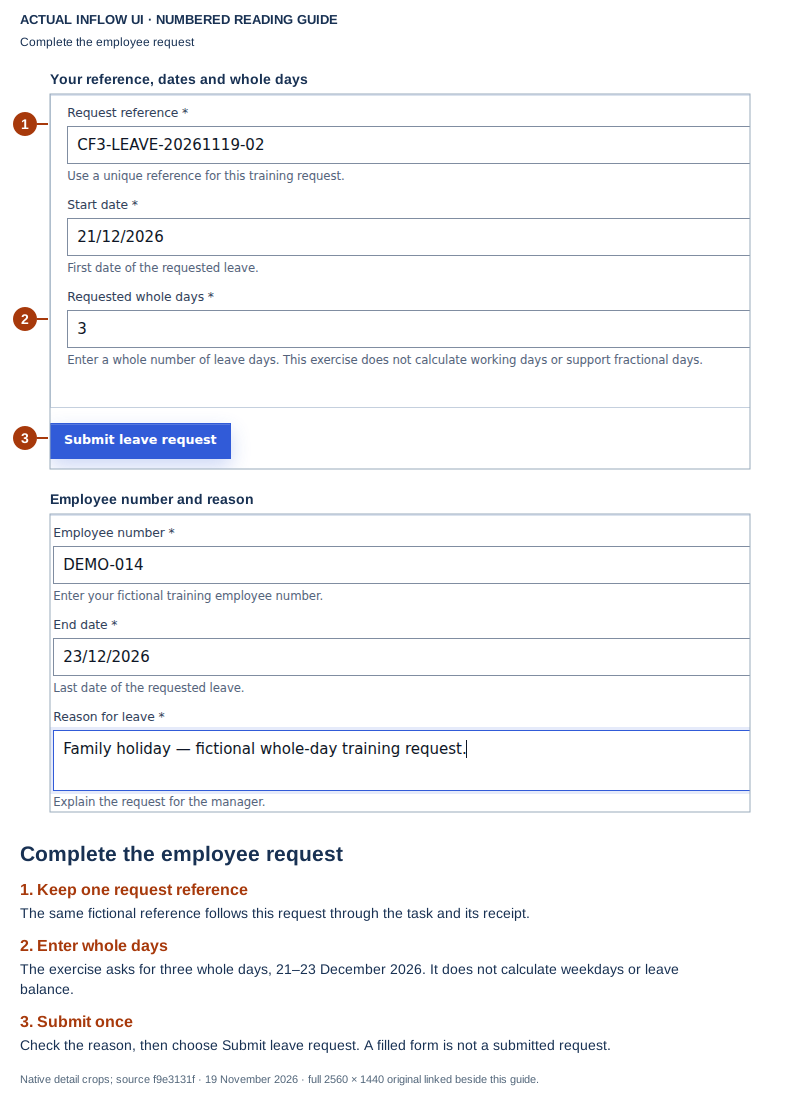
Retained completed training case. Read these images; do not resubmit or replay it. The first picture is the filled form before Submit, not an acceptance receipt. The button instructions inside its unchanged guide belong to the original exercise.
Open the unchanged native 2560×1440 employee screenshot
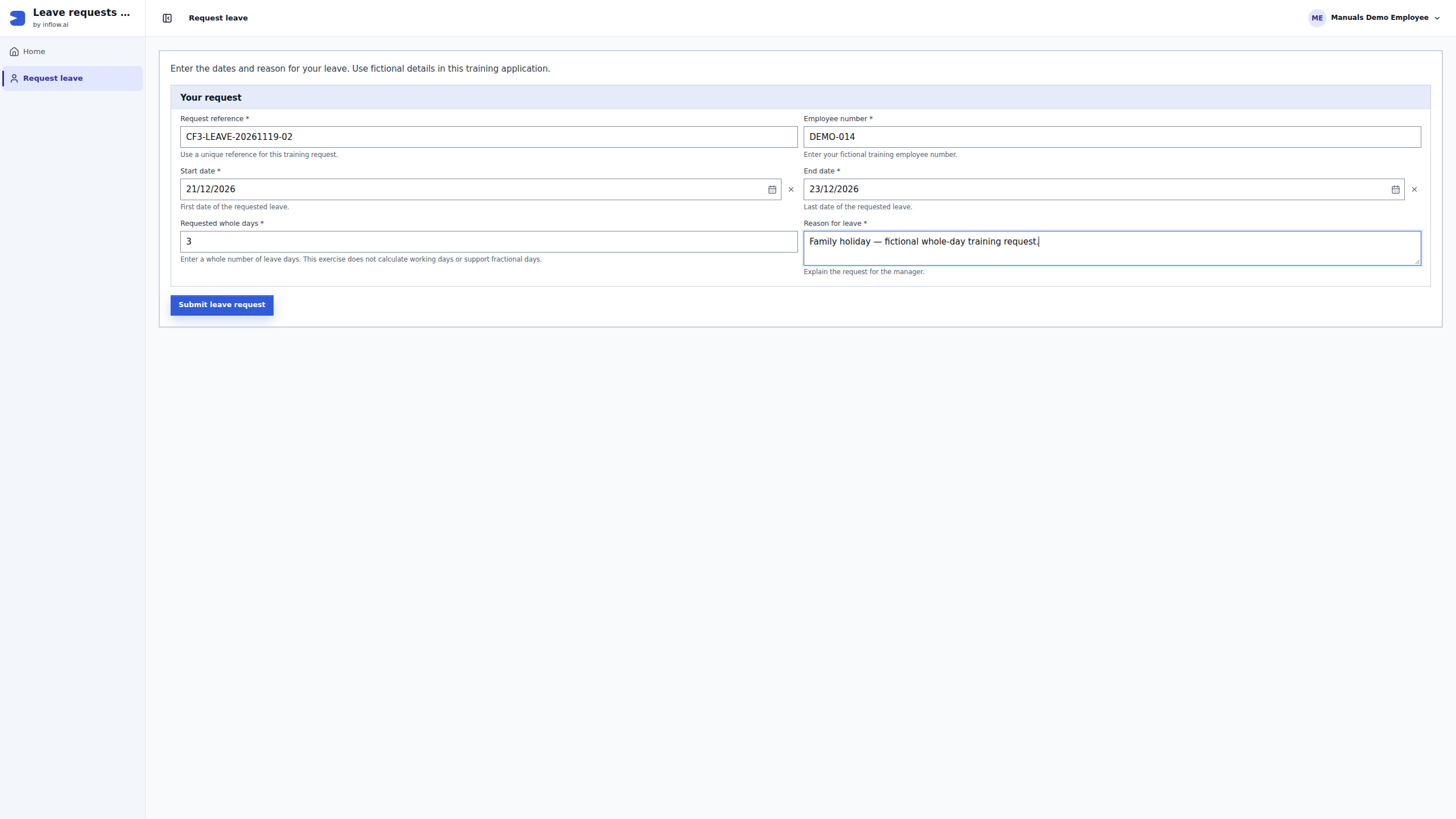
This first guide makes an important distinction for the report: Nadia sees input before submission. She can identify the intended reference and page, but cannot report a successful submission from this picture alone. She also sees employee information that an operator may not need, such as the employee number and leave reason. Those fields remain in the unchanged training original; a cropped guide is not redaction of the downloadable image. In a real ticket, write the smallest approved factual description instead of attaching a full personnel form by default.
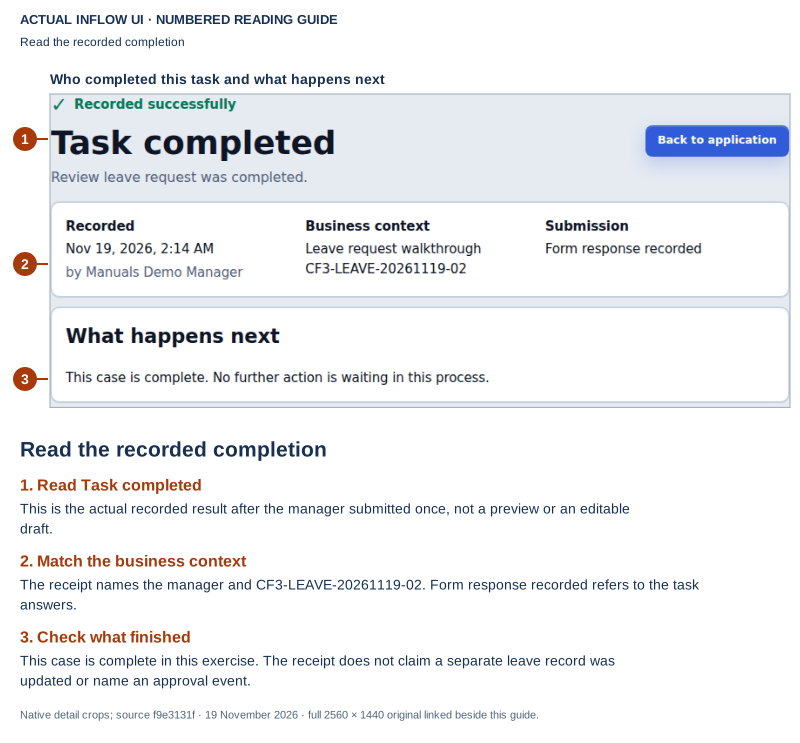
Retained completed training case. Read this later receipt; do not complete or replay the task again. This is the manager's result, not the employee's earlier submission page.
Open the unchanged native 2560×1440 manager screenshot
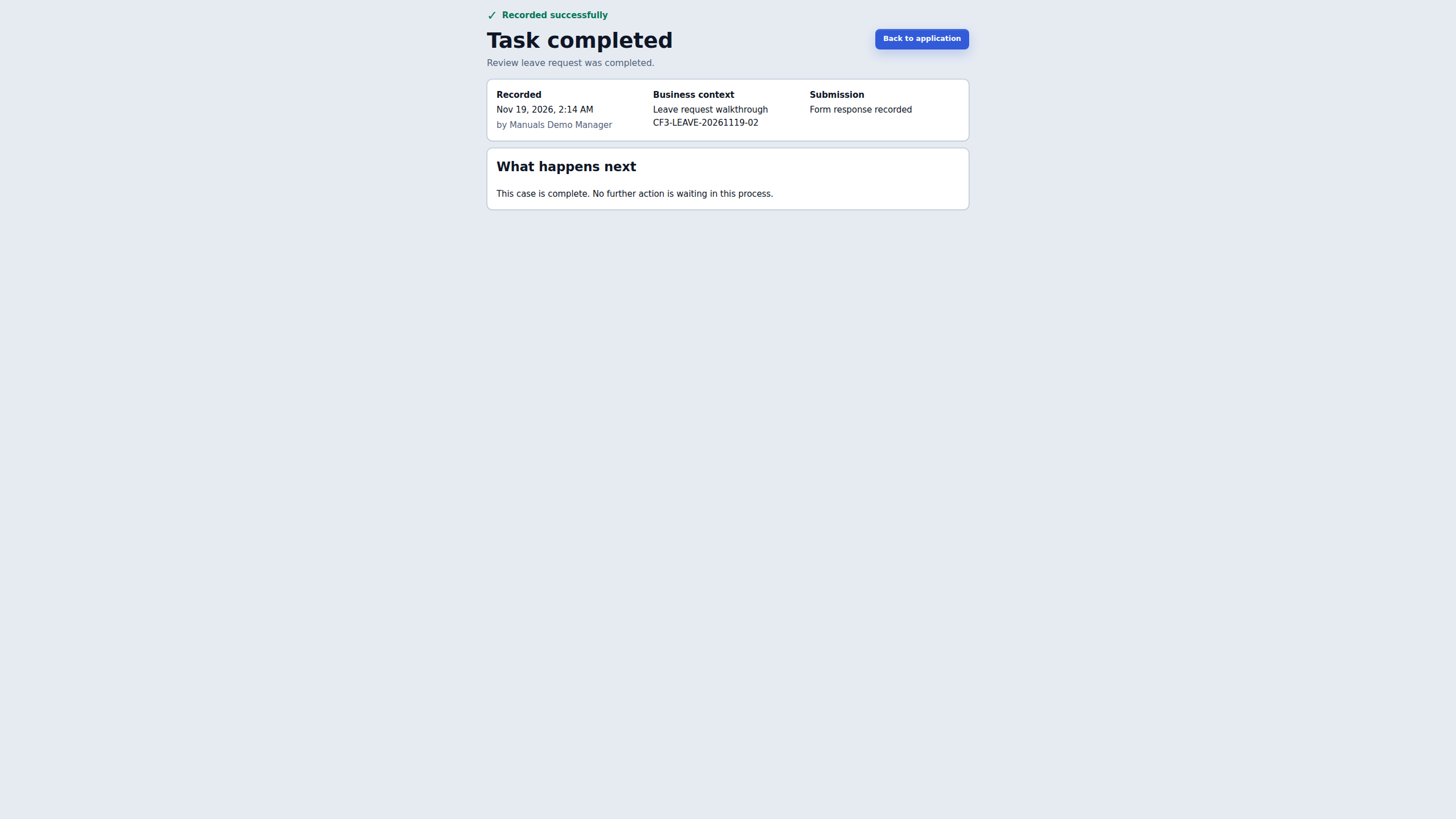
The later receipt provides different report facts. It says Task completed, names the business context, shows the matching reference, and says Form response recorded. It also displays a recorded date/time and the training manager's display name. Use the actor's role where that is sufficient; do not copy a personal identity merely because it is visible. The displayed twelve-hour time does not state a timezone, so do not invent an offset. Ask the owner to correlate the original event with its authoritative time when that matters.
A practice summary could look like this:
Purpose: Read an already completed fictional training result; no incident alleged
Application: Leave request walkthrough
Approved sample reference: CF3-LEAVE-20261119-02
Actor role: Manager
Observed result: Task completed; Form response recorded; case-complete message
Recording shown on page: 19 November 2026, 2:14 AM; timezone not displayed
Not established here: named approval activity, record-field update or notification delivery
Sensitive details omitted: employee number, leave reason, dates, session data and attachments
Retry or replacement action: None; original work is already complete
This is a reading exercise derived from the pictured training receipt, not a report of a fault that occurred. If the real issue concerns uncertain completion, keep that uncertainty in the report and ask the owner to reconcile the original attempt. Do not copy this completed state into an unrelated incident or run another decision to obtain a cleaner picture.
| Visible information | How Nadia uses it | What she does not infer |
|---|---|---|
| Approved fictional business reference | Identifies the same request for the permitted owner | It is not an HTTP request ID, login credential or broker receipt |
| Filled employee form | Explains intended input before submission | It does not prove a save, process start or completed action |
| Manager result and form-response status | Records the application's visible task result | It does not establish a separate record update, notification or named approval event |
| Recorded time shown on the page | Copies the display accurately and asks about timezone if needed | It is not a newly collected server trace or proof of the live logging policy |
| No server-log excerpt in this exercise | Leaves technical diagnosis with its authorized owner | Absence from these pictures does not mean no log entry exists |
The full employee-and-manager pilot explains the omitted submission and assigned-task handoff. No request trace, audit export, log read, maintenance dry-run or deletion was performed for this illustration. Continue with the incident procedure below only for a real approved report; keep this benign completed example distinct from its fictional uncertain branch.
Follow one incident from the original action to closure
Keep the incident tied to the same business item throughout the investigation. A request reference identifies the leave request; a task reference identifies the manager's work; a request trace helps an operator find a particular HTTP request. They are different identifiers. A trace can help locate evidence, but it does not prove who was authorized, whether a decision committed, or whether the employee's record changed.
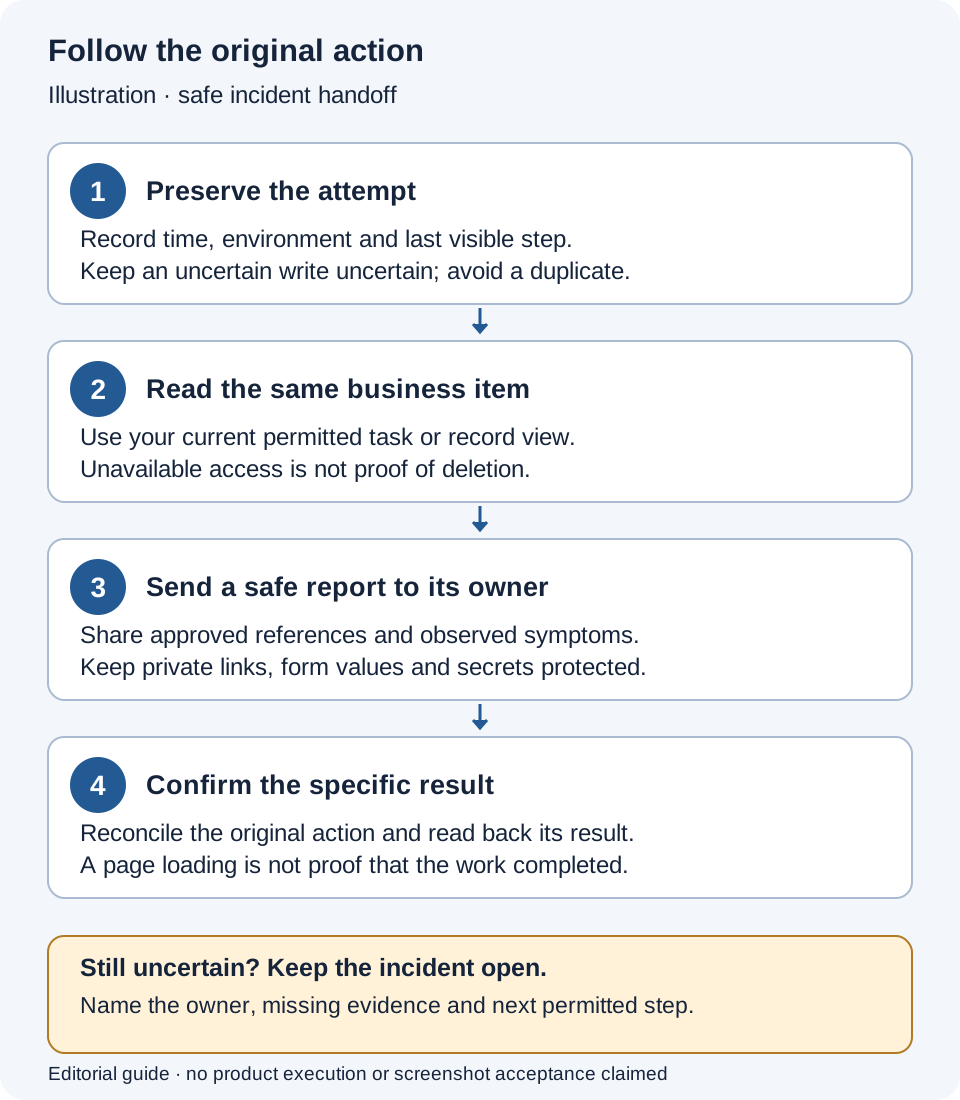
Illustration — incident handoff, not an Inflow screen or an executed incident. Follow the numbered steps below. The uncertain branch stays open until the responsible owner can reconcile the original action.
- Preserve the original attempt. Record the time and timezone, environment, normal role and last visible step. If a response was lost after a write, mark the outcome uncertain. Do not manufacture a replacement action for the report.
- Read the same item through current access. Check the permitted task, request or document view. Record what it actually shows and when you checked it. If the view is unavailable, say so; do not borrow another account or infer that the item was deleted.
- Hand off the smallest useful report. Give the responsible owner the approved sample reference, expected result, observed result and any safe correlation identifier already supplied by the app. Keep protected details in the approved channel for that owner.
- Close against a specific result. Ask the owner to identify the authoritative result of the original action and the next permitted step. Read back the business result you can access. Record what remains unconfirmed instead of closing the whole incident because a page now loads.
Example: write a report the owner can act on
This is a fictional training report. Its references and observations illustrate the format; they are not captured production evidence.
Environment and app: Training / Leave requests
Time and timezone: 17 November 2026, 09:14–09:16 UTC
Normal actor role: Sara, manager
Page or business action: Confirm the reviewed leave decision
Approved sample reference: Practice request LEAVE-DEMO-021
Expected result: One decision receipt and the matching request result
Observed result: The reply disappeared before a final result was visible
Last confirmed step: Sara selected the confirmation once
Is the outcome uncertain?: Yes; current task could not be read back
Owner asked to review: Application owner to reconcile that original action
Sensitive details omitted: Employee form values, attachments and session data
The useful question is “What happened to that confirmation?” rather than “Can we run approval again?” The owner may establish that it committed, that it did not commit, or that more evidence is needed. Each result leads to a different next step. Nadia keeps the original report intact and adds the owner's readback with its time; she does not rewrite an uncertain attempt as a failure merely because the browser showed no receipt.
If Sara is using App Chat, use the status or reconciliation action offered on that same proposal when available. An ordinary form or task page may offer a different recovery path. This lesson does not assume that every app has a button named Check status.
Example: the report includes a request identifier
The application owner asks Nadia for a safe request identifier already returned by the app. Nadia can provide the one visible in the approved diagnostic view, together with the environment and time. She does not export a browser network archive, copy all response headers or add a new request just to obtain an identifier.
For the specialist: Inflow's request filter returns an accepted or generated X-Request-Id. The platform can replace an invalid caller-supplied value, so use the value actually returned for the request being investigated. A missing display in the business page is not a reason to teach the employee developer tools; the authorized operator can collect the relevant metadata. A request identifier is also not a login token, access grant or durable task-decision receipt.
The operator finds the corresponding request but sees no normal-success line in the operational file. The checked-in logging defaults are WARN, while successful interactions are logged at INFO. Nadia therefore records “no matching success line available under the inspected logging settings,” not “the action never happened.” Live settings, retained files and business readback remain facts for the operator to establish. This manual does not promise that an older event can always be recovered from logs.
Example: a diagnostic link must stay private
The owner has a protected inspection link for the incident. Nadia includes the approved business reference and the visible non-sensitive symptom in the shared report; she does not paste the inspection URL or its hidden query values into a wider channel. If the owner needs the original protected link, they use the organization's approved restricted route.
Some diagnostic references select protected details. Inflow masks diagnostic selectors in operational query logging, but that protection does not sanitize a screenshot, copied URL or message Nadia shares herself. Keep the permission boundary even when the link looks like an ordinary address. If its classification is unclear, describe the symptom and let the owner retrieve the details with their own authorized access.
Prepare a retention discussion without running maintenance
Start by identifying the data category, its business purpose, the responsible owner and any current investigation or retention hold. Then ask that owner which policy and supported maintenance process apply. A proposed number of days is not a complete deletion decision.
| Category | Question for the owner | Keep separate from |
|---|---|---|
| Operational log archives | Which service and time range must remain available for diagnosis? | Durable business audit and request history |
| Audit and business history | What evidence of changes and decisions must the organization retain? | The verbosity of an operational audit log file |
| Published API request logs | Which API-specific logging and retention rules apply? | The general operational archive cleanup |
| Application records and managed documents | What lifecycle, retention or investigation rules govern these items? | Deleting rotated service-log files |
The checked-in operational configuration uses separate normal-archive and error/audit-archive periods. Those defaults describe one configuration source, not the organization's approved policy or proof of the settings active in a particular deployment. The specialist should compare the live policy with the proposed change before anyone relies on it.
Example: a dry-run still needs an authorized owner
An administrator says, “Let's try the retention dry-run first.” Nadia asks which category and environment they mean and whether held evidence is in scope. For operational archive retention, the supported dry-run counts candidate files without deleting them, but it also records a maintenance run. It is not the same as reading the current policy or last maintenance status.
The owner decides whether that maintenance action is authorized. Nadia does not run it as a prerequisite for reporting a problem. A count from one dry-run is neither permission to delete those files nor a prediction that a later run will find the same count: time, files and policy can change. Any later deletion needs the applicable owner decision, current holds and its own resulting receipt.
If a failed maintenance attempt already exists, preserve its receipt and ask what actually happened. Do not describe a failed cleanup as “nothing changed” without the owner's evidence. Keep this maintenance investigation separate from whether Sara's original leave decision completed.
If the result is not clear
Keep the original result and explain what is missing. Ask the responsible owner to investigate before repeating an uncertain action or widening access. A missing control is not an instruction to use somebody else's account.
Continue with the consultant guides
Read follow running requests and use Live. The specialist reference below contains the detailed setup; it is not ordinary consultant preparation.
Further reading
Optional technical reference — detailed contracts and implementation information for your administrator or developer. You do not need it to follow this lesson.