
Optional technical reference. This material is for developers, integration specialists and platform administrators. For the consultant lesson, read the practical guide.
Preserved from source baseline
d4587c7c0e073e58c2d430342f65ac55dd701bf4; source/static examples retain their stated scope. They are not new runtime verification or required consultant setup steps. The preserved gallery instructions below are historical; the current consultant lesson teaches Generate form and the New App Shell wizard instead.
6. Templates, preview & publish
Understand the release handoffs
A template seeds a draft. Save retains a conditional revision. Validate checks its supported document and semantic constraints. Preview can execute configured admitted reads/actions and is not inherently a harmless isolated sample sandbox. Publish creates an accepted version through native revision, intent and impact gates. Published Open Live is the surface for inspecting that actual release.
Keep the real draft ID/revision and original publication intent together. A concurrent edit invalidates an earlier review. If the response is unknown, reconcile the original attempt rather than guessing whether publication failed. Testing the published business journey remains separate from knowing a version exists.
Example UIAI-CH06-01 — Adapt a template and publish its reviewed revision
Scenario and inputs. Nadia chooses an actual current Form template for the synthetic people-ops application. She has authoring/publication authority and knows which fields and external rules the application requires. The template's sample content is not a preconfigured production leave system.
Procedure. Insert the template through its native gallery, inspect the resulting structure and replace sample names/values deliberately. Configure the declared inputs, supported data/action references and validation. Save and re-read the actual revision, validate it, then use Preview with admitted synthetic inputs. Complete the native publication-impact review and publish exactly that saved revision; retain the returned version rather than only a local success banner.
Expected result. The application has a specific accepted publication whose input/output dependencies are known. Subsequent draft edits do not alter that immutable version. A template or Preview alone establishes neither persistence nor ordinary-user authorization; the actual published journey needs its own appropriate validation.
Failure and recovery. Correct unsupported controls, stale references and validation issues before publication. Reconcile concurrent edits and review again rather than forcing the old revision. Do not keep a sample provider/document/rule reference that happens to parse but does not exist in the reader's admitted environment.
Sources. Designer template/release surface, conditional save and publication, publish body contract.
Example UIAI-CH06-02 — Recover from an uncertain publication reply
Scenario and inputs. Nadia reviewed saved revision7 and began one publication intent. The client lost its response. The value7 is illustrative of an actual returned revision; a timeout does not prove that the service failed or that no version was created.
Procedure. Preserve the original draft ID, expectedRevision, idempotencyKey and applicable impact receipt. Inspect the native attempt/receipt reconciliation surface and current publication state for that same intent. If an admitted retry is supported, use the original operation identity rather than inventing another key. Only after resolving the outcome should the user decide whether new content requires a separate reviewed publication.
Actual publication-body shape:
{"expectedRevision":7,"idempotencyKey":"leave-form-publish-014"}
Expected result. A confirmed accepted version is distinguished from a refused or unknown attempt. Conditional publication prevents silently releasing a different revision from the one reviewed. The same key expresses the original attempt, not permission to apply changed content under an old review.
Failure and recovery. A revision conflict requires a fresh read/review; a permission denial stays unavailable. Do not switch to another draft, clear receipts or mint a second identity to make a timeout disappear. Keep unresolved delivery visible until the actual supported reconciliation or accountable operator establishes the outcome.
Sources. Publish/impact boundary, intent/revision validation, native attempt endpoints.
Templates
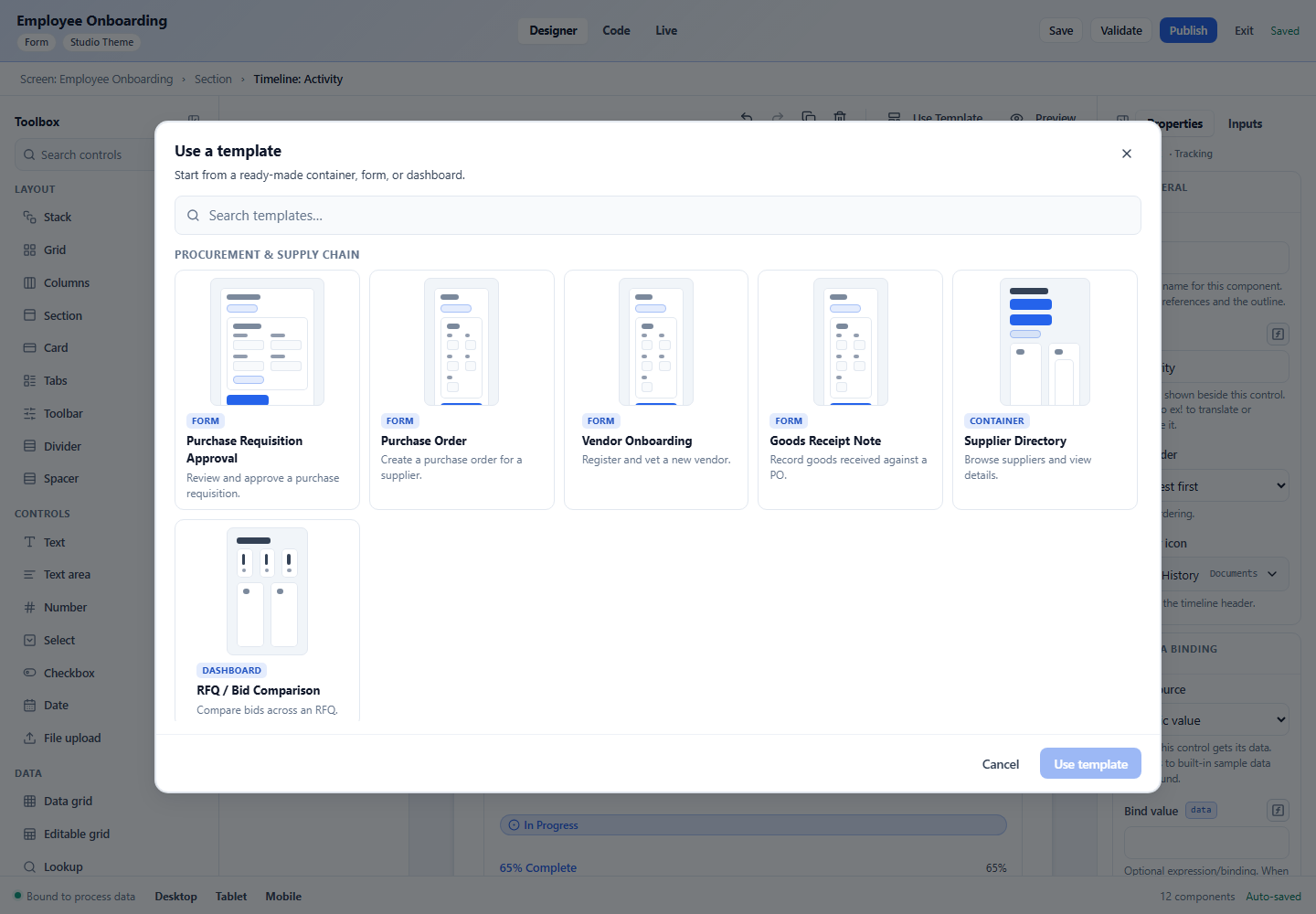
Rather than start from scratch, click Use Template in the canvas toolbar to open the template gallery — a set of ready-made containers and forms. Each shows a thumbnail preview; pick one to drop its structure into your interface, then customize.
Previewing your work
Two ways to see the real thing:
The Preview view
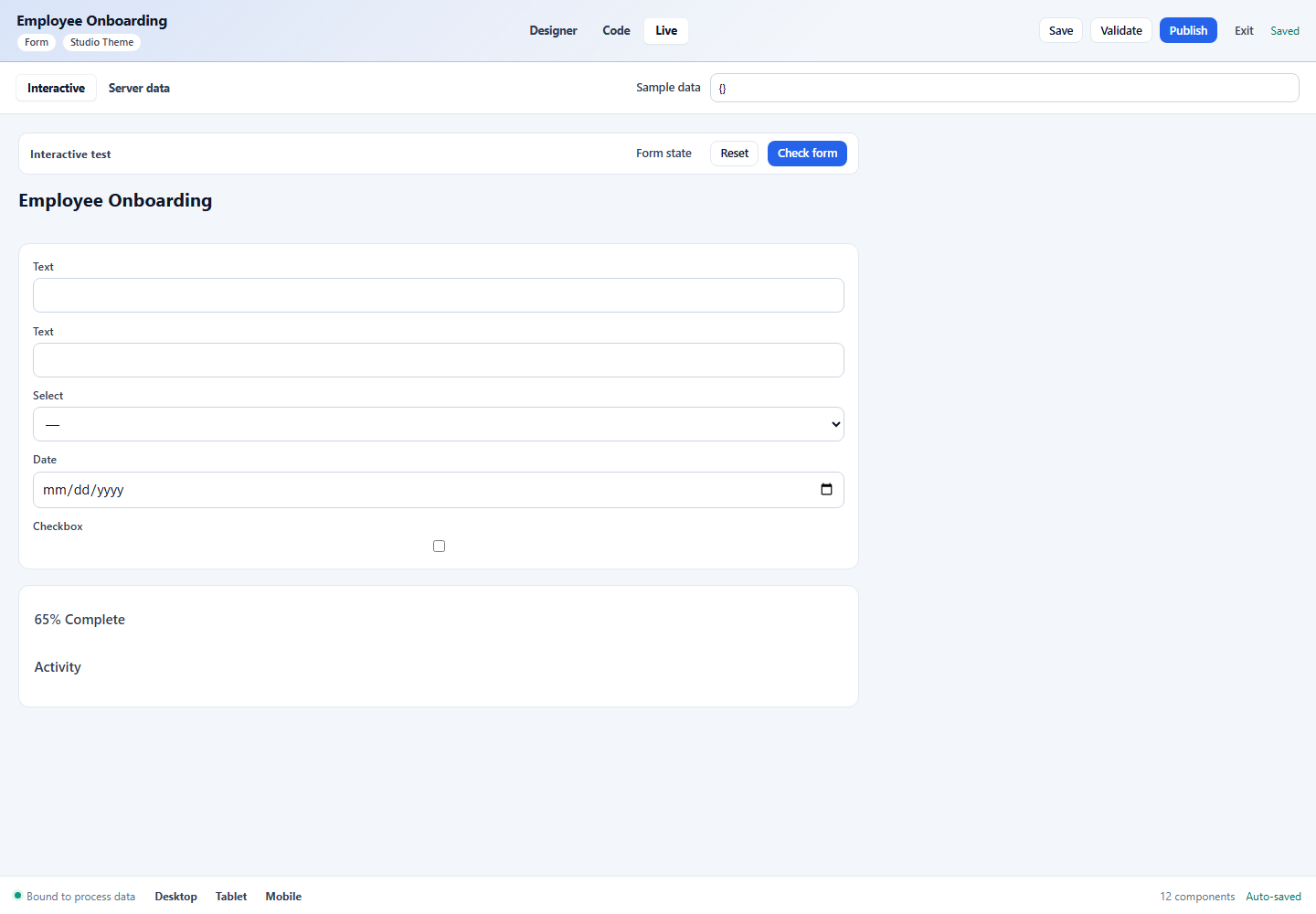
Switch to the interactive Preview view (called Live in the older screenshots).
Unbound authoring controls can show representative samples; configured data paths
can read authorized real data, so Preview must not be assumed to be an isolated
synthetic sandbox. Fields
respond, Visible when conditions apply, required/validation rules fire, and calculated
values resolve — so you can sanity-check behavior without publishing.
The Preview button
The Preview action in the canvas toolbar opens the same rendered interface for a quick look.
The Code tab
Switch to Code to see and edit the underlying screen-language JSON directly, with autocomplete and validation. This is the same document the visual designer edits — anything you do visually is reflected here, and vice versa. It’s the power-user surface and the basis of Part II.
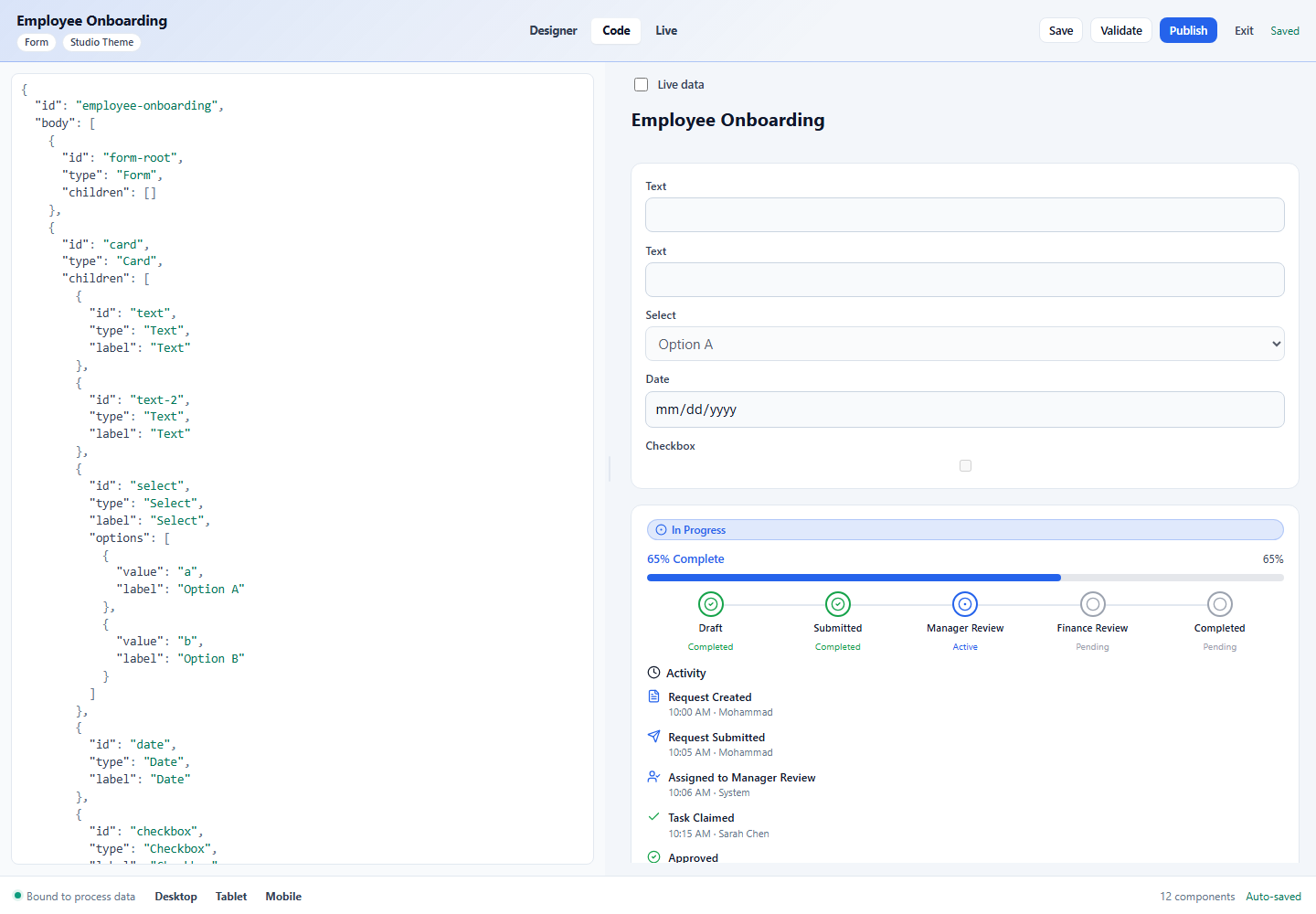
If you edit the JSON by hand, keep it valid — a malformed document can’t be rendered. Use Validate to catch problems.
Save, Validate, Publish
- Save — your work also auto-saves as you edit; the status on the far right shows “Saved”. Save forces an immediate save.
- Validate — checks the interface for problems and lists any issues. Clicking an error moves focus to the offending control.
- Publish — publishes a new version of the interface for your workspace to use. Drafts stay editable; published versions are what users see.
The UI saves against the revision it read and publishes the exact saved revision
through the current review flow. A conflicting edit needs a fresh read/review.
Headless callers must supply expectedRevision for saves and publication plus a
stable publication idempotencyKey; native impact-review gates still apply.
An uncertain publication reply requires reconciliation of that original attempt,
not a new publication identity. Publishing is distinct from testing the resulting
user journey.
Next: Coding reference →
Current-source update — native publication checks
Current screen and App Shell publication uses the native authorization and outbound-validation boundary. The historical impact-review wording inside the preserved body describes the older reference version; see SCRUM-4476 T100 below for the current caller behavior and its remaining qualification limits.
SCRUM-4476 T100: screen and AppShell root confirmation
The designer prepares its saved native root and confirms it through the existing reviewed-publication owner. It performs no reverse assess, plan, commit or dependent-draft request. Preparation binds native revision, server-stored bytes, saved editor text and local revision independently; final validation and owner flush retain that predicate. A native stale response allows a scoped same-bytes newer-revision refresh for fresh confirmation; different bytes produce a draft conflict. Native compiler errors, including catalog rejection, still prevent dispatch; sensitive-field acknowledgement remains scoped to the saved revision.
A confirmed authorization refusal withdraws publication controls and commands for that draft. Cancel and route changes invalidate pre-dispatch continuations; already-sent native attempts retain their original identity. An uncertain reply cannot be replayed by Review latest or Open live; explicit header retry retains the original revision and idempotency key. Open-live confirmation opens its handoff tab synchronously and closes abandoned tabs. Diagnostics describe the actual saved root and native reason, without an assessment receipt or dependency-inventory claim. Dependency propagation belongs to the publisher integration; this caller alone does not establish its completion.
This is source behavior pending retained runtime/native/media, current-master integration, review and release qualification.
Concurrent confirmations release only their own installed abandonment callback. Sensitive acknowledgement stores both publication scope and reviewed key; scope changes clear the modal and acceptance, and retained callbacks cannot act on the next draft.